FOR PATIENTS · ACCESS CONTROL
Remote requests come to you first.
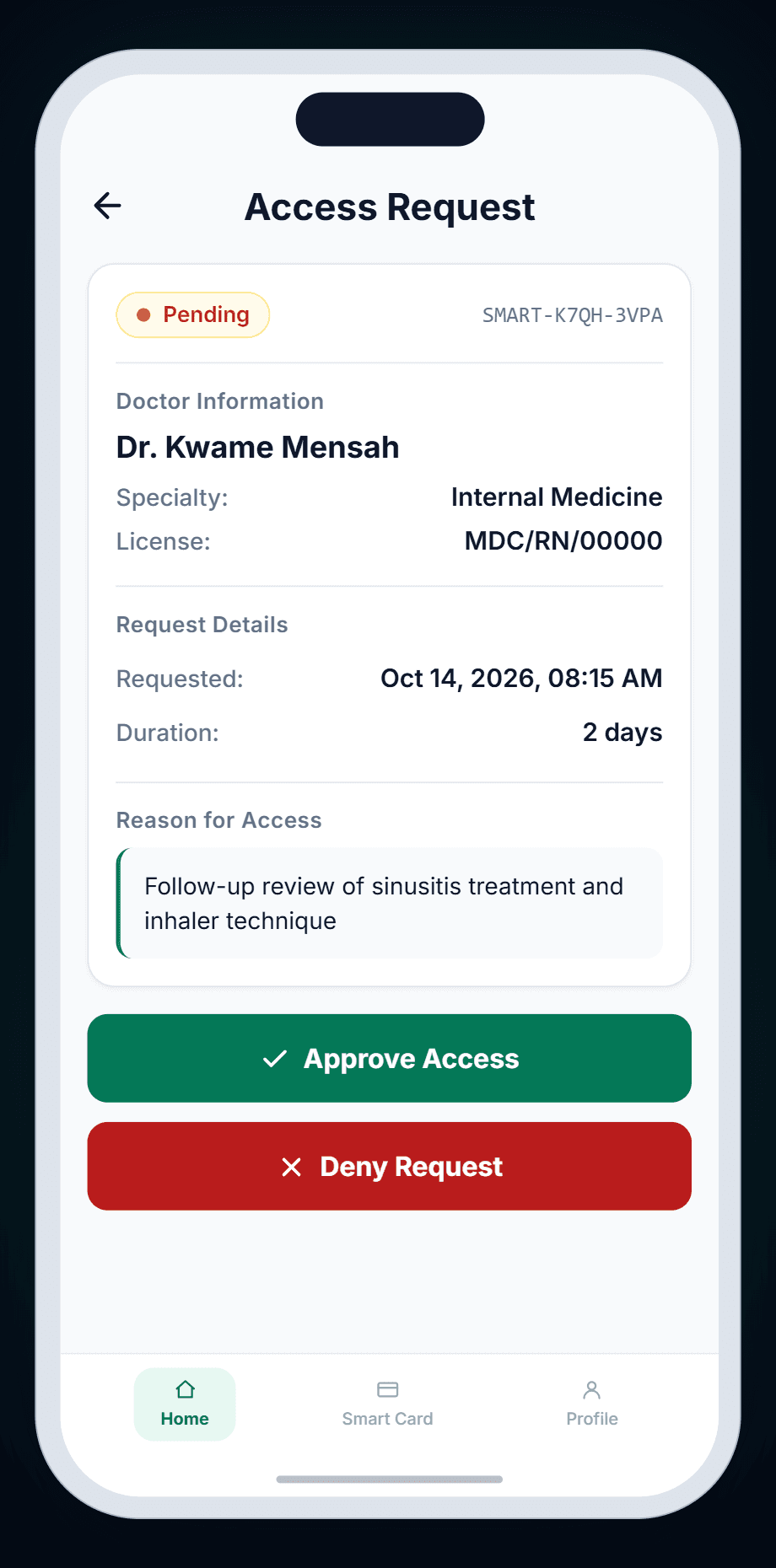
Doctors can ask to see your records without a visit. You see who's asking, why and for how long — then approve or deny with your PIN, and revoke whenever you like.
1 hour to 7 days
Access window
Your PIN + a one-time code
To approve
One tap, any time
To revoke
CAPABILITIES
What you can do with Access Control.
See who's asking, and why
Each request shows the doctor's name, specialty and licence number, the reason they gave, and how long they're asking for.
A set time, never open-ended
Doctors ask for between 1 and 168 hours — up to 7 days. There's no indefinite access.
PIN to approve, PIN to deny
Every response needs your card PIN, whether you're approving the request or turning it down.
A one-time code finishes it
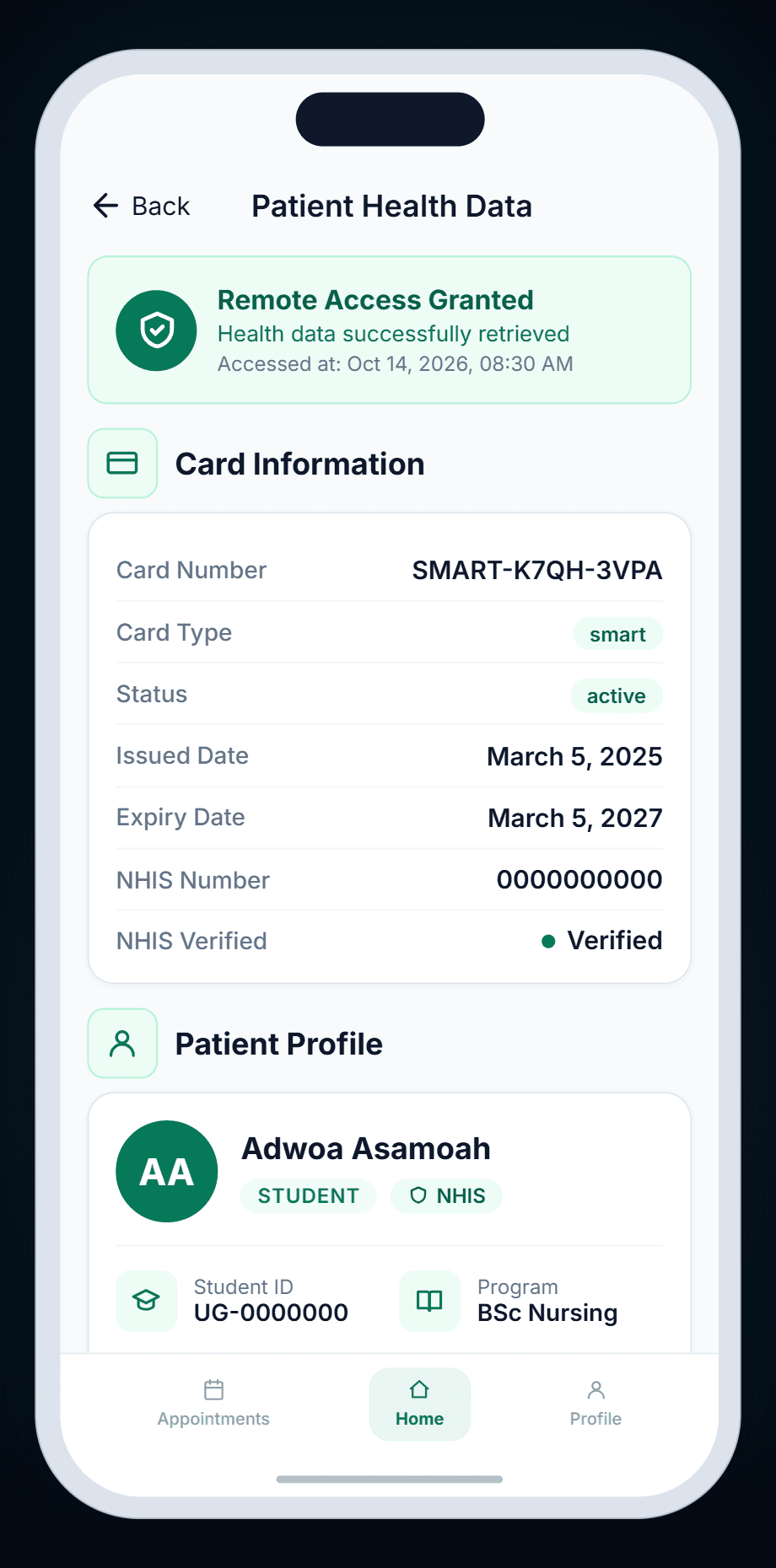
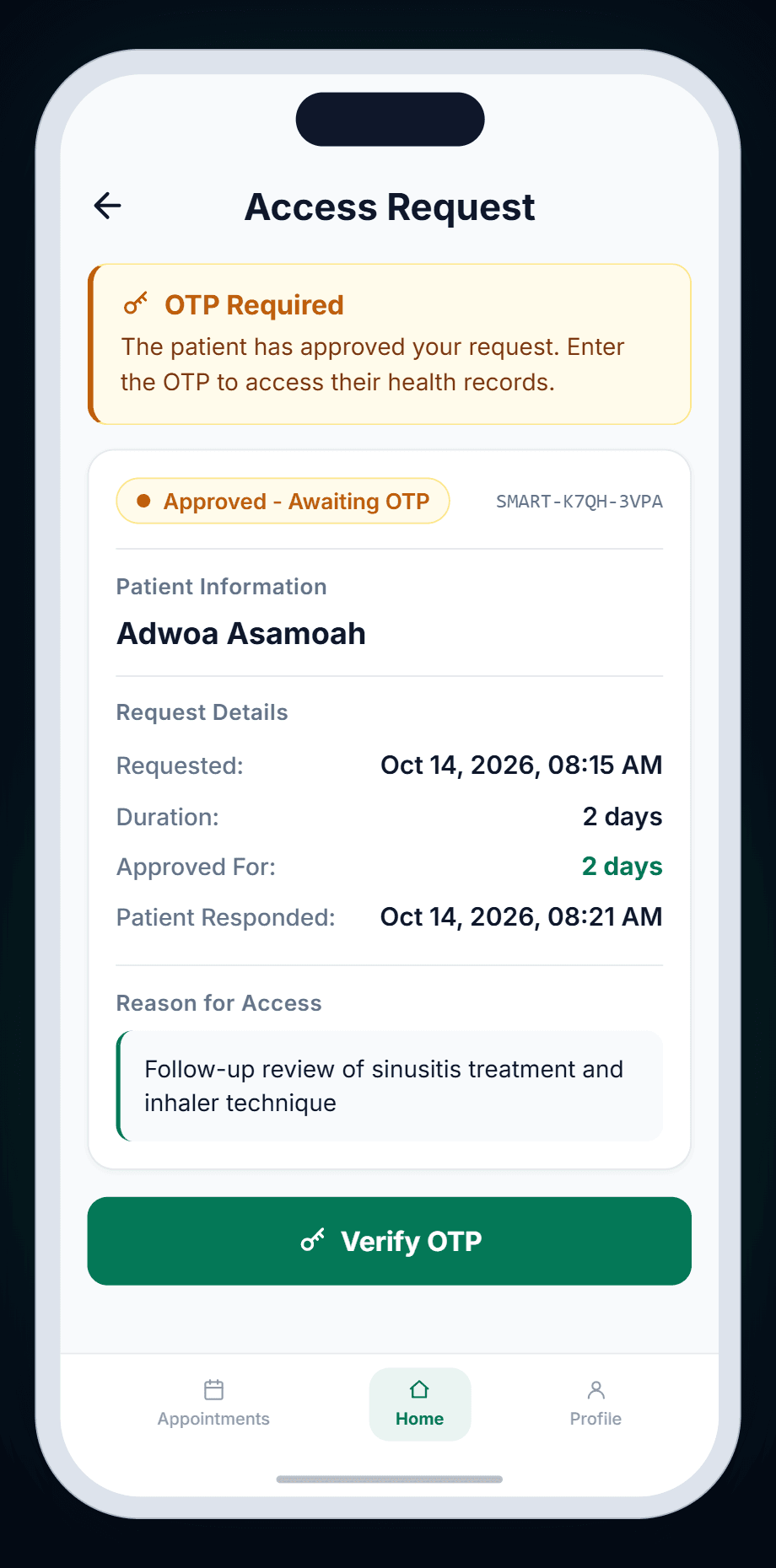
Approval alone isn't access. You're shown a one-time code (OTP) to share with the doctor, and they must enter it before anything opens.
Revoke in one tap
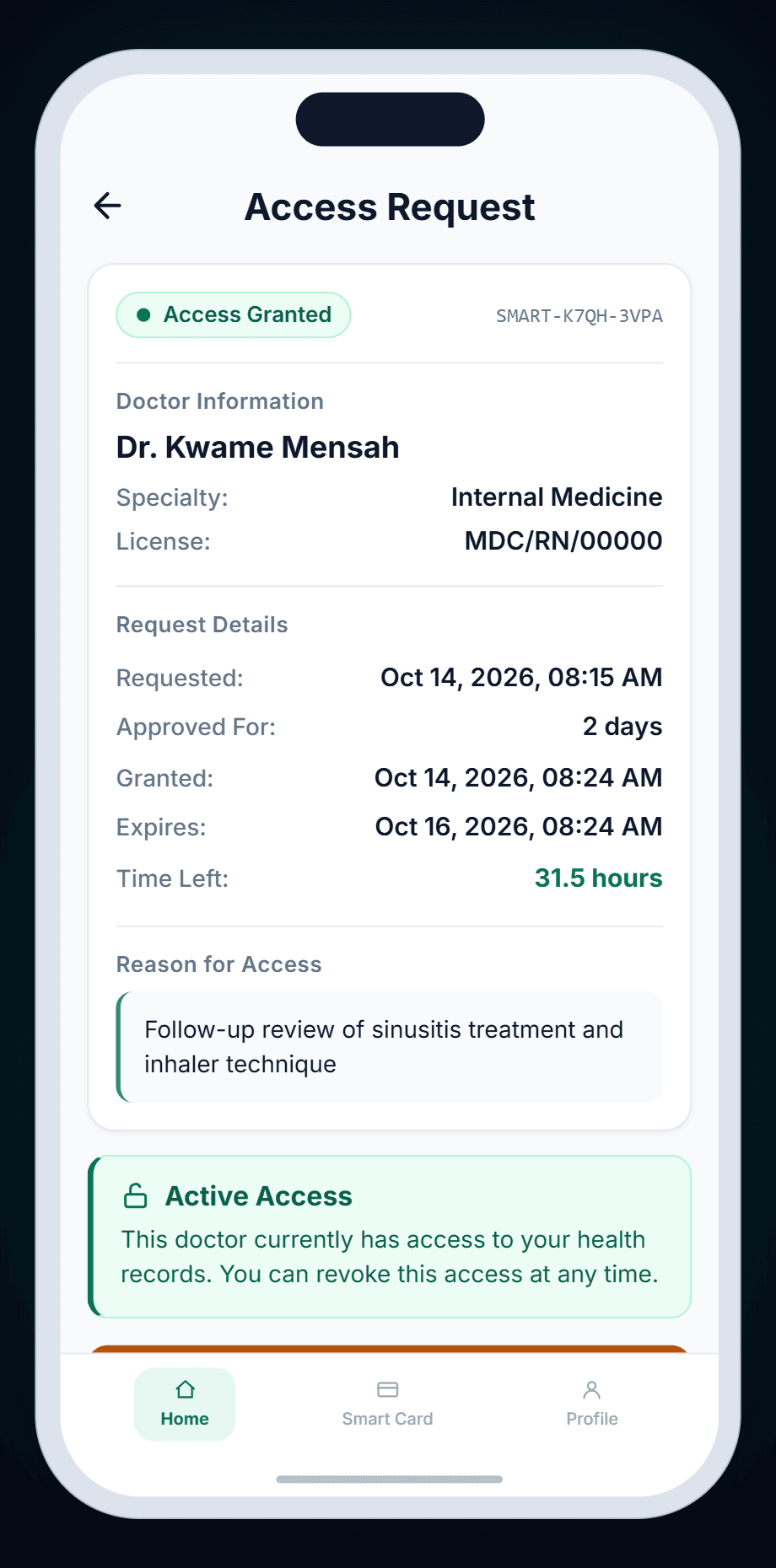
Active access shows the time left. Tap Revoke Access and the doctor's view ends immediately — no PIN needed.
See how often they looked
While access is active, the request shows how many times and when the doctor last viewed your records.
HOW IT WORKS
A remote request, from first ask to revoke.
The real remote-access flow in the DigCare app, shown on both phones.
Step 1 of 4 · Request
Remote requests come to you first.
A doctor sends a request with a reason and a time limit. You see who's asking, why and for how long — then approve or deny with your PIN.
Two phones, one handshake
You approve. They still need the code.
Your approval generates a one-time code. Until the doctor enters it on their phone, nothing is shared.
GOOD TO KNOW
The doctor chooses the duration (1–168 hours). You can approve or deny it, but not change it.
The one-time code is shown to you once, when you approve. Share it with the doctor directly.
Time left is shown as a figure — for example '31.5 hours' — and refreshes when you reopen the request. It isn't a live countdown.
Your records are handled under Ghana's Data Protection Act, 2012 (Act 843).
Frequently asked questions.
No. A request only becomes access after you approve it with your PIN and the doctor enters the one-time code you share with them.