
FOR PATIENTS · HEALTH CARD
Your health identity, on your phone.
A Smart Health Card with its own number and QR code, under the Smart Card tab. Doctors scan it at a visit — and nothing is shared until you enter your PIN.
SMART-XXXX-XXXX
Card number
6–8 digits
Card PIN
Logged with time & IP
Every scan
CAPABILITIES
What you can do with Health Card.
One card, one number
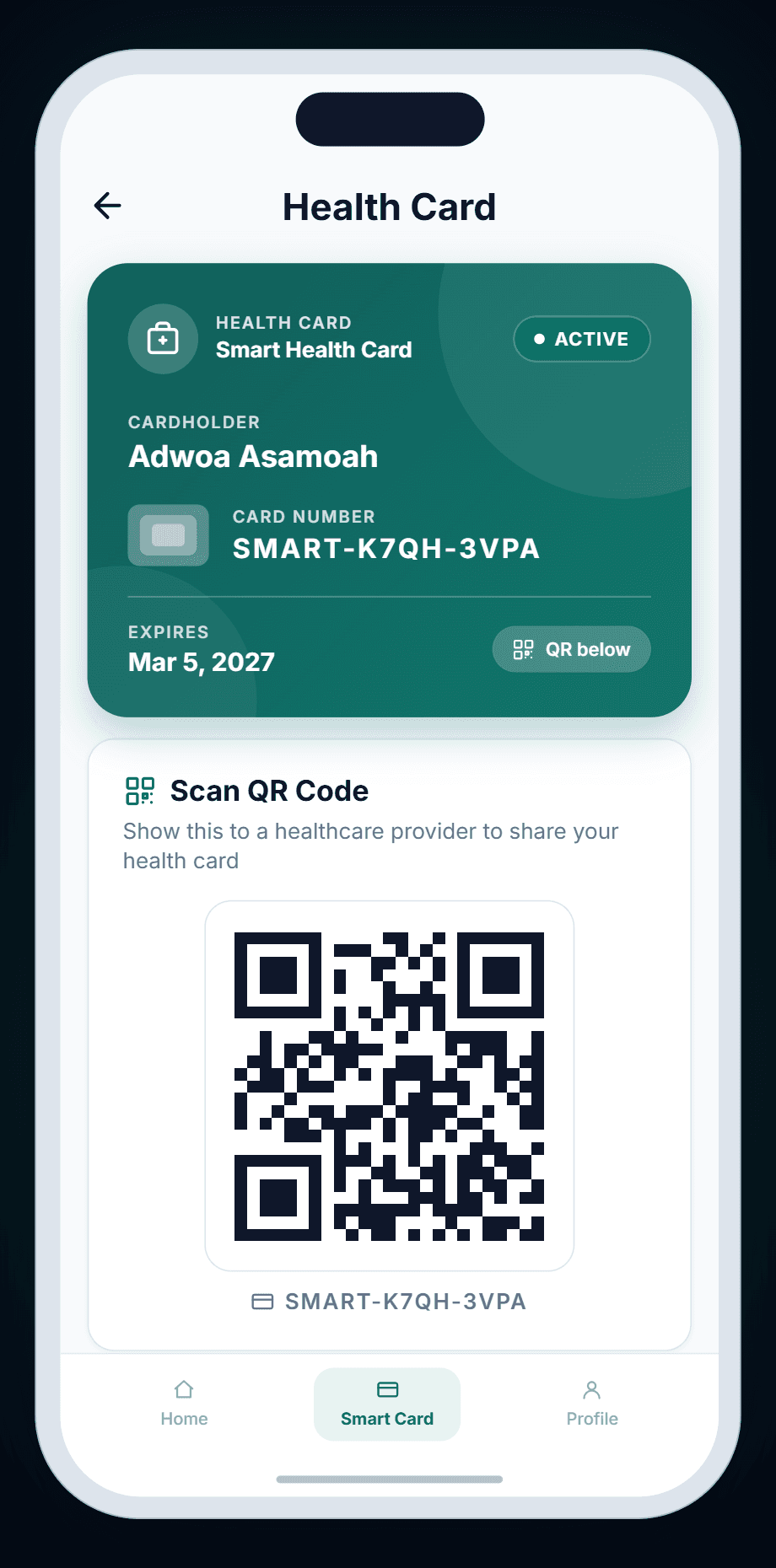
Your Smart Health Card shows your name, card number, status and expiry — with your QR code on a white tile right below it.
Doctors scan your QR
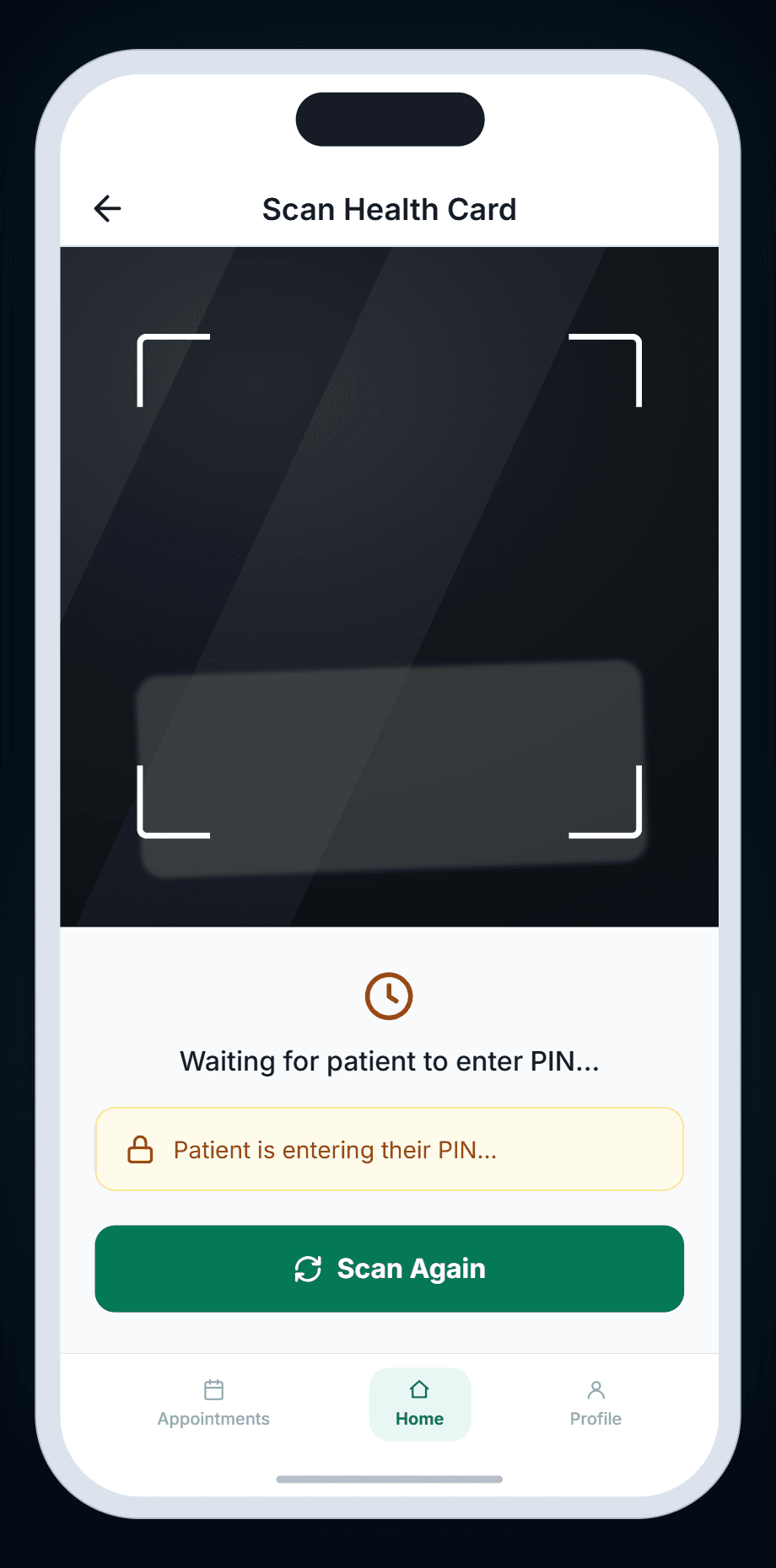
At a visit, the doctor scans the code with the DigCare app. You get a notification on your own phone straight away.
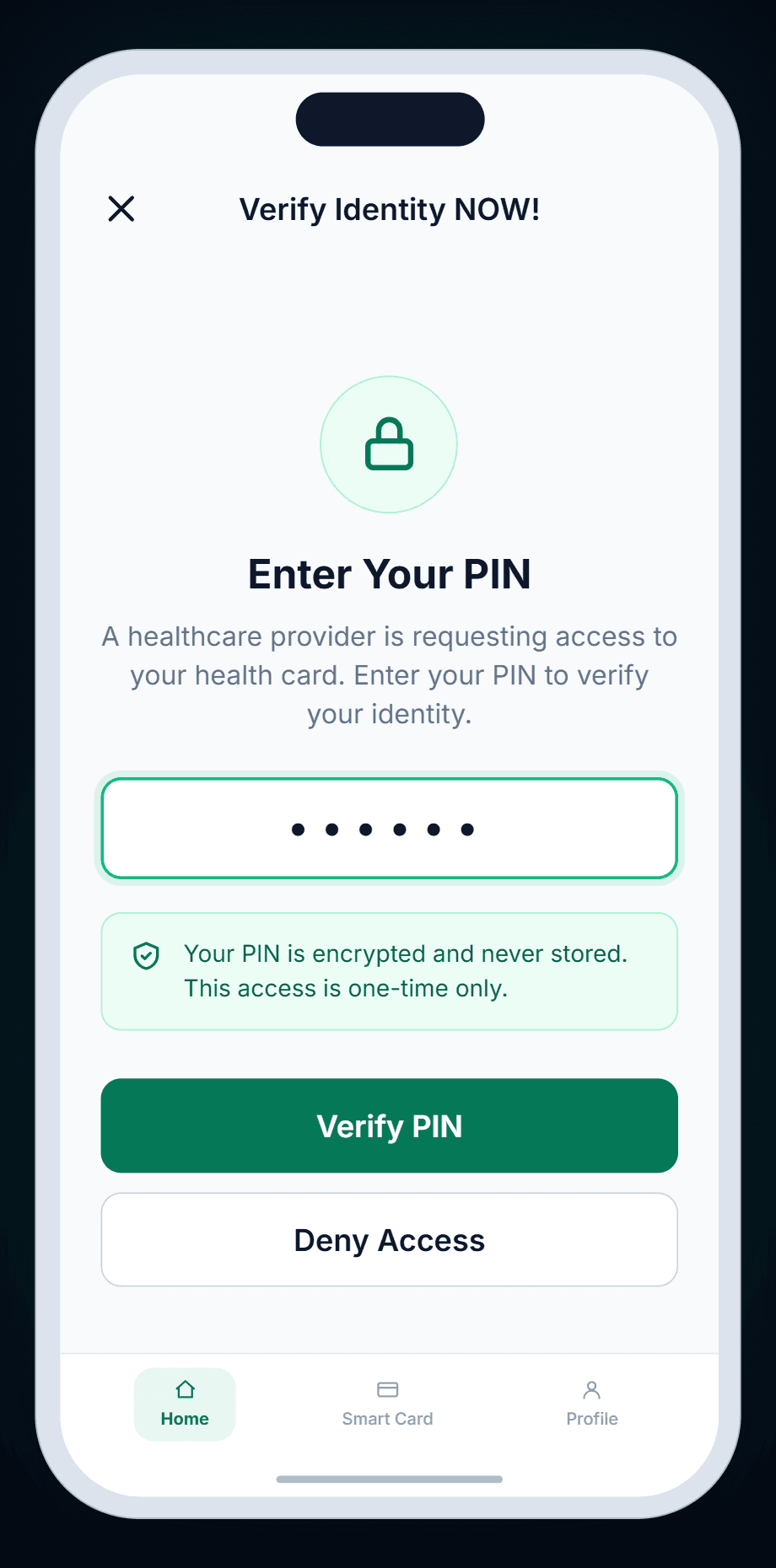
Your PIN is the approval
Nothing is shared until you enter your 6–8 digit card PIN. Tap Deny Access instead, and the session ends.
Every scan, logged
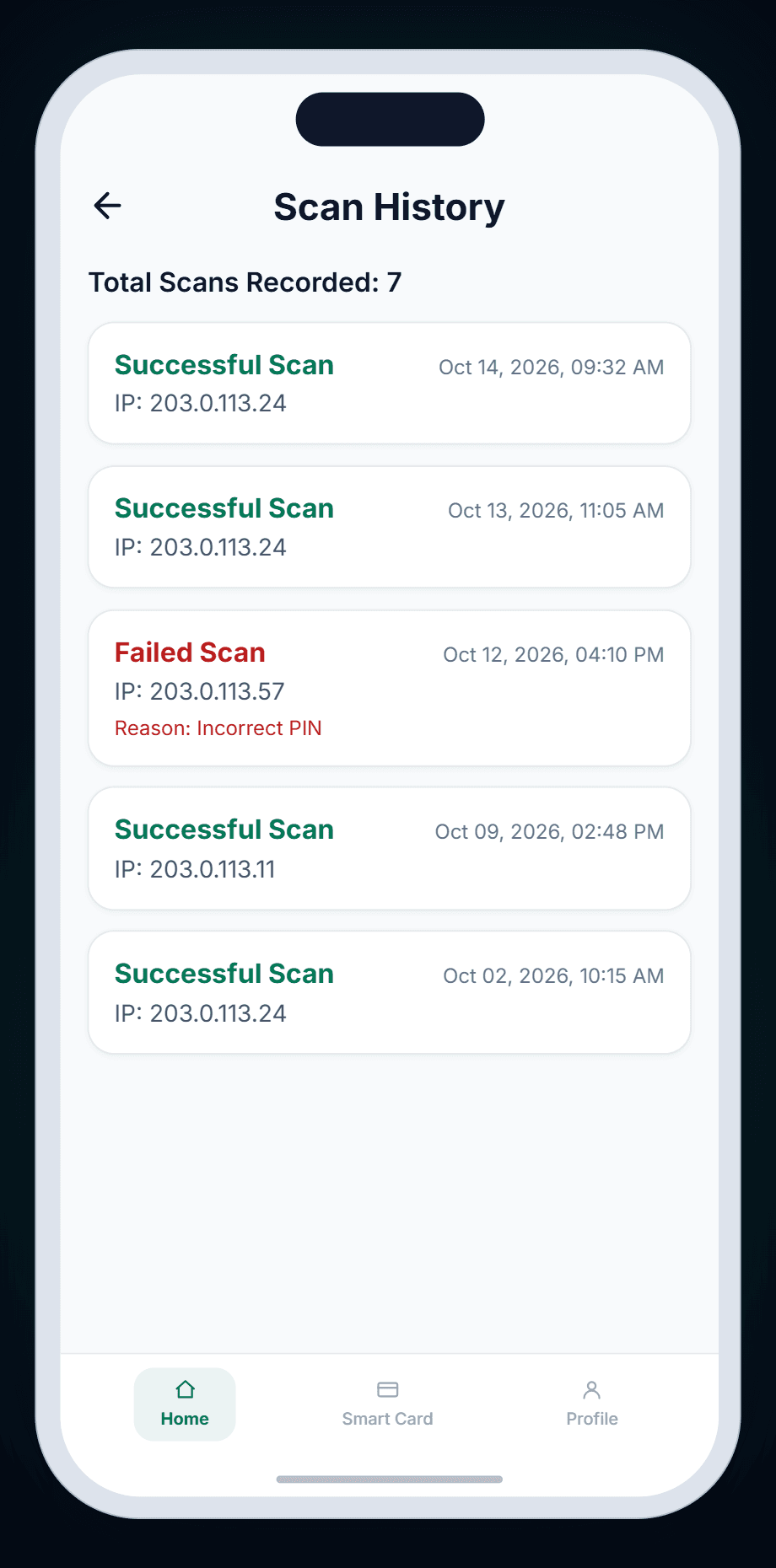
Scan History lists each scan — successful or failed — with the time, the scanning device's IP address, and the reason a scan failed.
Expiry at a glance
See your card type (Smart, NHIS or Hybrid), its status, and how many days remain before it expires.
Facility cards too
A clinic's front desk can issue you a clinic-specific card with its own number and QR. Yours are listed under Facility Cards.
HOW IT WORKS
From your card to the doctor's screen.
This is the real in-person flow in the DigCare app — what you see on your phone, and what the doctor sees on theirs.
Step 1 of 4 · Your card
Your health identity, on your phone.
One card number and QR code, ready at any visit. Open the Smart Card tab and show the QR to your doctor.
Two phones, one handshake
The doctor scans. You approve.
A scan session only opens once the PIN is entered on your phone. Until then, the doctor's screen simply waits.
GOOD TO KNOW
Once you enter your PIN, the doctor can see your profile, allergies, conditions, emergency contacts, appointments, prescriptions, lab results and insurance for that session.
Facility cards work differently: scanning a clinic-issued facility card opens a session without asking for your PIN.
Your QR code is loaded from DigCare's servers each time you open the card, so you'll need a connection to show it.
Your card PIN is 6–8 digits and is asked for every time your card is scanned. Change it any time under Manage Card PIN.
Frequently asked questions.
Your Health Card screen shows a 'Secure Your Health Card' alert until you do. Tap Set PIN Now and choose 6–8 digits — from then on it's required for every scan.